Case Study

Make a kid laugh, one swipe at a time

I joined Disney LOL as its contract design lead the month it launched, and owned the app's flow, usability, polish and motion for the next two years. The job was turning more than a hundred new pieces a week into something a kid could open and enjoy, and a parent could trust.

Design Lead · Contract2016 – 2018iOS · AndroidKids E
9:41
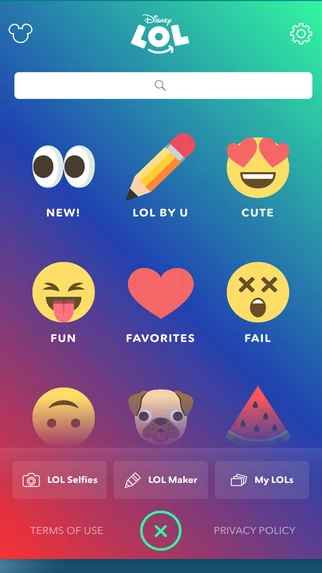
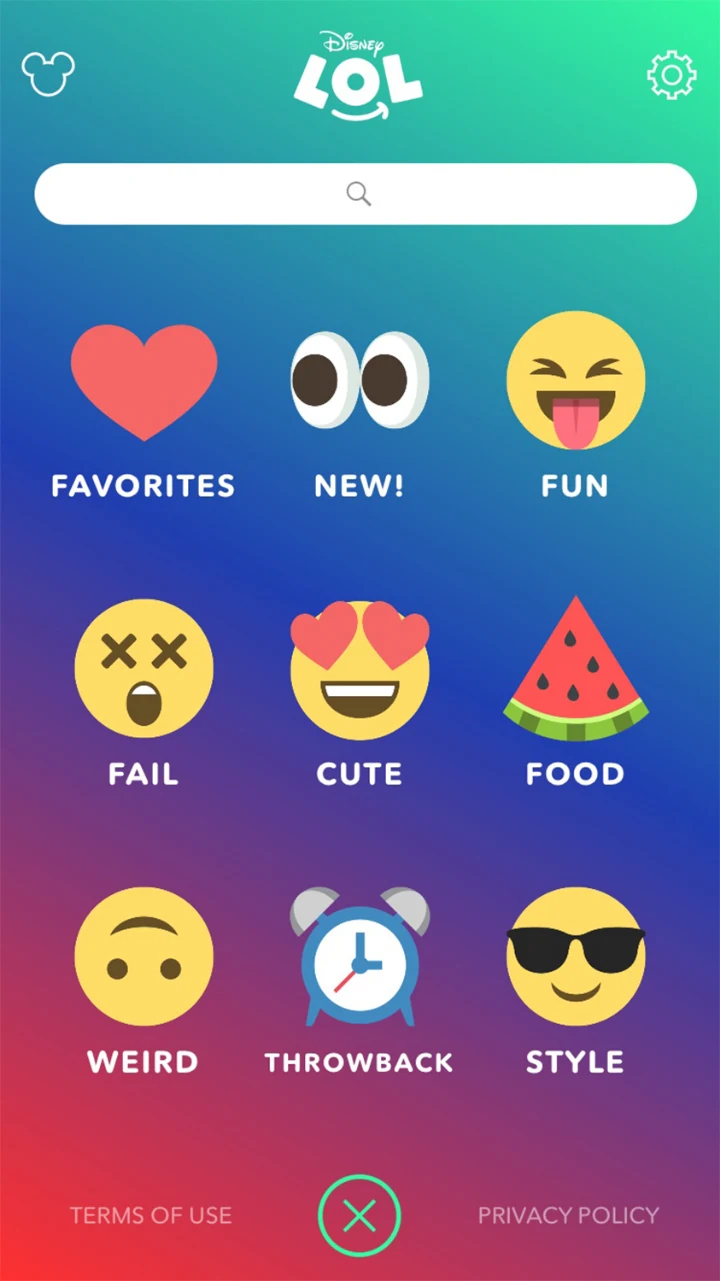
Disney LOL Explore at launch: nine emoji categories under a search bar, including Fun, Fail, Cute, Weird and Food
Jun 2016 · Explore
9:41
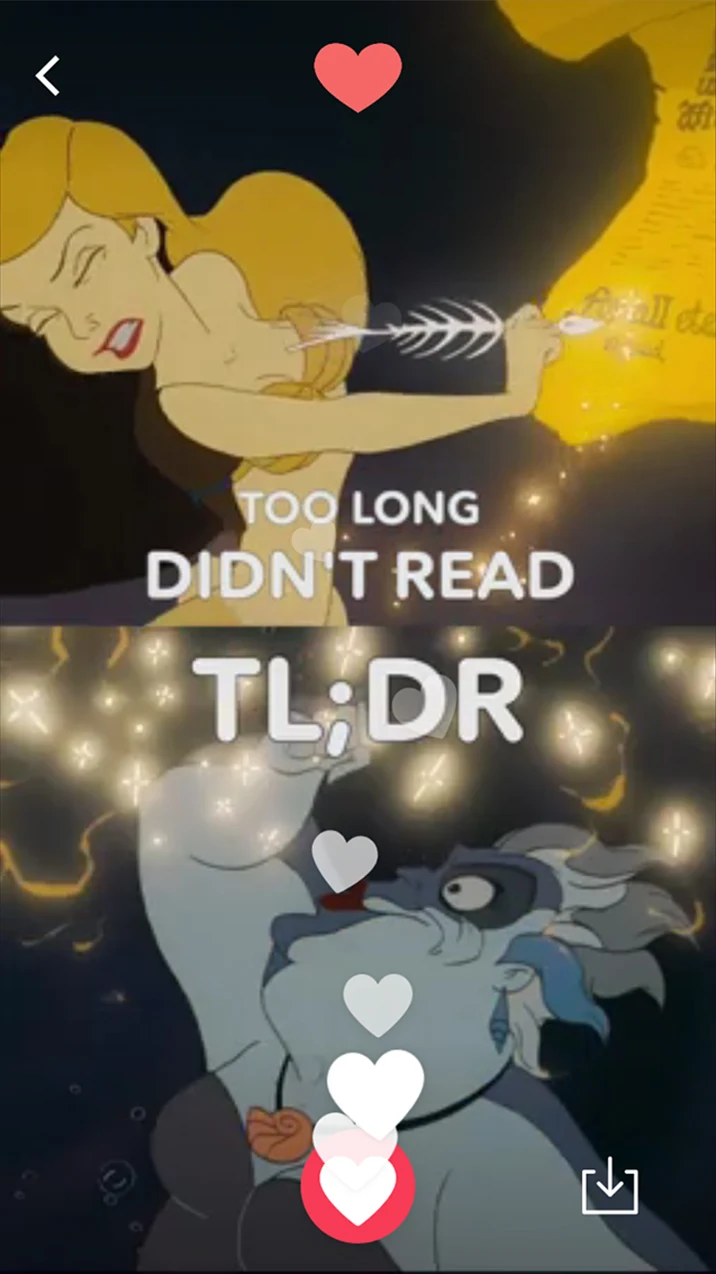
Disney LOL feed card reading Jungle Squad Goals, with a heart button and floating heartsDisney LOL feed card: a Little Mermaid GIF captioned Too long, didn't read, with a save button
Jun 2016 · Feed, one at a time
9:41
In app · Player, Up Next

The shipped app. Screens from Disney's App Store listing and launch press, set in a current iPhone frame. The swipe and tap are recreated; the player is a real screen recording.

Role
Design Lead on contract, reporting to a design manager and leading one junior designer
Product
Disney LOL for iOS and Android, from its June 2016 launch to 2018
Partners
PM, engineering, research, visual artists, content designers and copywriters
Launched
June 2016 in the US and Canada, with a million downloads in the first six months

Disney's funniest stuff lived where kids weren't allowed

By 2016 Disney's social teams were making a lot of short-form content: GIFs, six-second Vines and clips under two minutes from Disney Channel, Pixar, Disney XD, Star Wars and Marvel. Most of it lived on platforms that don't allow kids under 13, so the audience that loved these characters most couldn't follow them.

I came in as Disney's digital studios were being folded together, right as LOL came out of beta. It was one of the bets from that moment: a single, kid-safe home for all of that content, on the phones and tablets families already had.

What made it hard
01

Kids from 8 to 16

We tested with girls and boys across that whole range. What delights an eight-year-old can bore a sixteen-year-old, and every screen had to work for both.

02

A firehose, not a library

Between 100 and 120 new pieces landed every week. Every screen had to work for content nobody on the team had seen yet.

03

Dozens of franchises, one small screen

Marvel, Pixar, Disney Channel and Star Wars brought different art, different owners and the same request: more space.

Open the app, laugh within one swipe, and never need to read a menu.

The bar every screen had to clear

We never wrote principles on a wall. Looking back, three rules sat under almost every call we made.

Rule 01

One thing at a time

A single piece of content fills the screen. Choosing comes later, if at all.

Rule 02

Feelings before franchises

Kids go looking for funny, cute or weird. Brand names mean more to Disney's org chart than to a seven-year-old.

Rule 03

Pictures before words

Emoji, faces and icons carry the navigation, so it works at any reading level.

Four calls that shaped the product

Two were in place when I joined, and I spent two years sharpening them. Two came out of our work with research and the content team. Each one gave something up.

Decision 01 / 04

One piece at a time, full screen

The tension

A grid shows more at once, which is what a catalog wants. Grids also ask kids to read titles and choose, and a six-second GIF shrinks to nothing as a thumbnail.

The call

The default feed shows one piece at a time, edge to edge. Swipe up for the next. A heart and a share button are the only controls on top.

My part

The feed shipped as I joined. From there I owned its flow, usability and motion: the swipe, the heart, and fitting new features in without crowding the screen.

What it meant

Opening the app and laughing took zero decisions. Every clip got the whole screen, and the swipe became the rhythm of the product.

Traded away · the at-a-glance sense of how much is in there

9:41
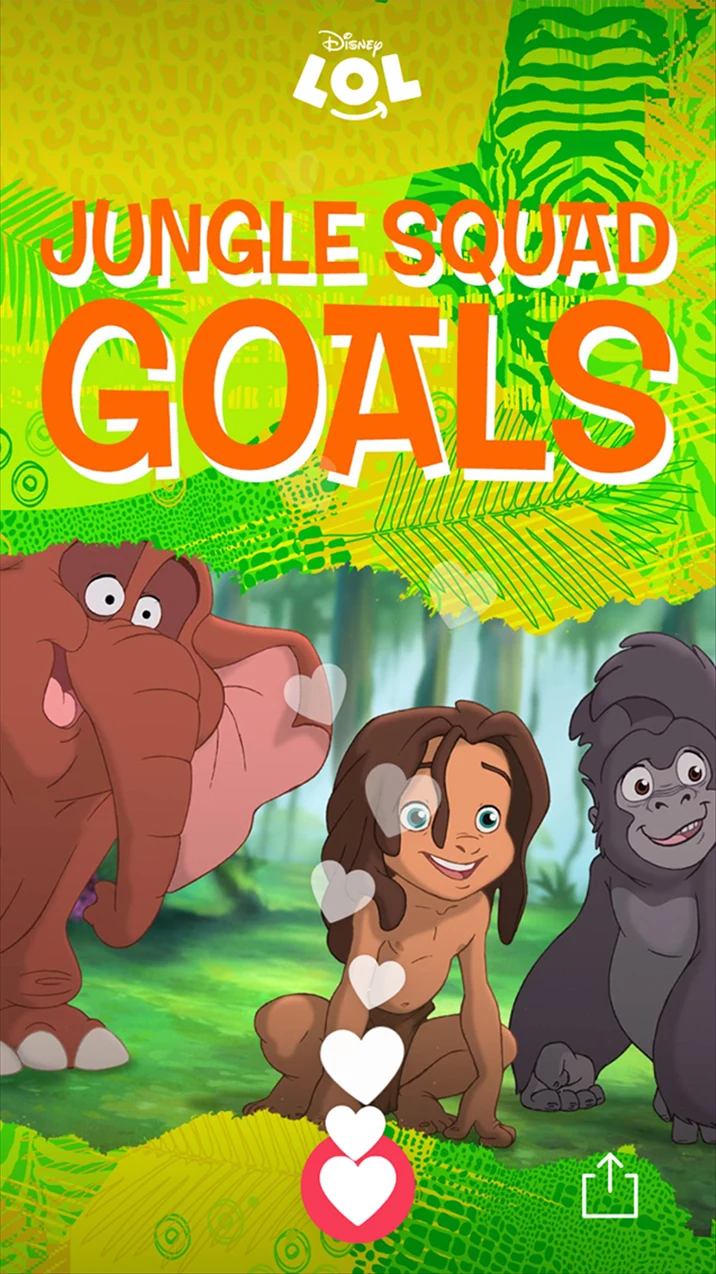
Disney LOL feed card reading Jungle Squad Goals, with a heart button and floating heartsDisney LOL feed card: a Little Mermaid GIF captioned Too long, didn't read, with a save button
Jun 2016 · Launch
9:41
Disney LOL feed card from 2017 with a like count beside the heart
Jul 2017 · Like counts
The feed at launch, with the swipe recreated, and in July 2017, when every heart started showing a like count.
9:41
Disney LOL Explore at launch: nine emoji categories under a search bar, including Fun, Fail, Cute, Weird and Food
Jun 2016 · Launch
9:41
Disney LOL Explore in July 2017: the emoji grid adds LOL by U, with tabs for LOL Selfies, LOL Maker and My LOLs
Jul 2017 · Version 1.8
The grid a year apart. It held up, and grew to make room for things kids made: LOL by U, selfies, and their own saved LOLs.
Decision 02 / 04

Browse by feeling, not by franchise

The tension

Disney is organized by brands, and each brand wanted its own shelf. Kids don't ask for Disney XD. They ask for something funny.

The call

Explore sorts everything by mood: Fun, Fail, Cute, Weird, Food, Throwback, Style. A big emoji carries each category, with one word underneath for kids who read. Favorites and New sit first, and search covers the kid who already knows what they want.

My part

Explore was there at launch. In 2017 I reworked its flow to make room for what kids made: LOL by U, plus tabs for LOL Selfies, LOL Maker and My LOLs.

What it meant

Kids of any age or reading level could find their way by faces alone, and the categories never went stale. A franchise shelf ages out when the movie leaves theaters. Weird is always in season.

Traded away · brand shelves inside the app

Decision 03 / 04

Let kids make things, without a social network

The tension

Sharing is the whole point of a GIF. But our research with parents kept circling the same worries: screen time, how much their kids were on devices, and online bullying.

The call

No social network and no hooks into one. Hearts are the only public signal, kids save and share through the phone itself, and anything they make goes through moderation before it can be featured in the app.

My part

This was a team call. I designed the flows that made it work: saving, sharing, and submitting a meme or selfie for a chance to be featured.

What it meant

Kids got to make things and pass them around. Parents got an app with no comments, no follower counts and no strangers.

Traded away · the engagement loops a social graph brings

9:41
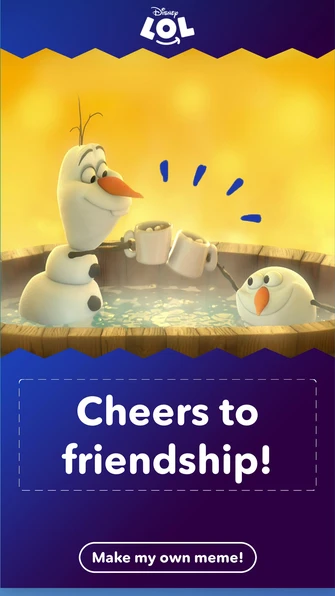
Disney LOL meme card reading Cheers to friendship, with a Make my own meme button
Dec 2016 · Memes
9:41
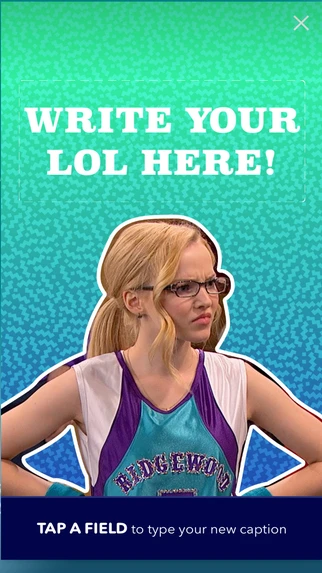
Disney LOL meme maker: Write your LOL here, with a caption field over a still from Liv and Maddie
Jul 2017 · LOL Maker
9:41
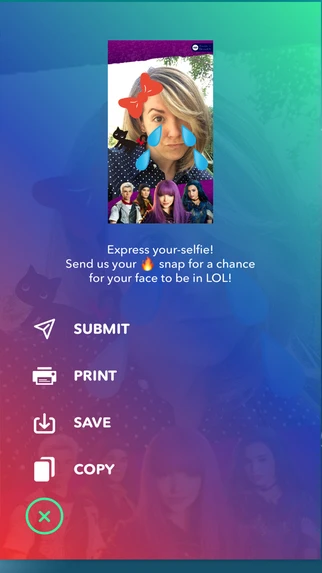
Disney LOL share sheet for a sticker selfie: Submit, Print, Save and Copy
Jul 2017 · Submit
Making arrived in stages: a meme maker in December 2016, then sticker selfies and a LOL Maker tab in July 2017. Everything kids sent in went past community moderators, backed by a trained algorithm that flagged keywords and imagery, before it could appear in the app.
9:41
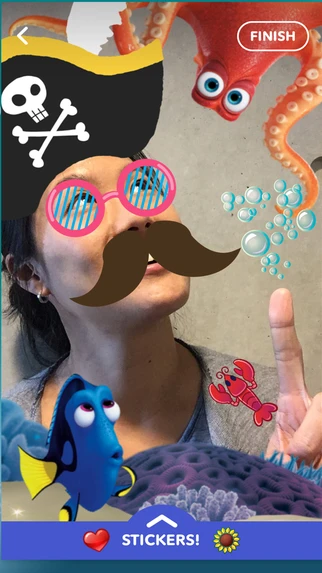
Disney LOL selfie camera with Finding Dory stickers and a sticker tray
Jul 2017 · Movie stickers
9:41
In app · Game tie-in
Tie-ins showed up where kids already were: Finding Dory stickers in the selfie camera, and the Ursula reveal for Disney Emoji Blitz in the video player.
Decision 04 / 04

Program the feed around the calendar

The tension

A hundred-plus pieces a week can turn into noise. And a feed that ignores what's happening in kids' lives feels stale by Friday.

The call

With the content design team and copywriters, we planned the weekly pieces around seasons, trends and pop culture, and timed each launch to support Disney's bigger marketing moments.

My part

I explored the weekly options with content design and the copywriters, and shaped how each week's pieces and tie-ins showed up in the app.

What it meant

The app felt current from week to week, and Disney's big releases got one more way to reach kids.

Traded away · a purely evergreen library

Release by release

How the app grew

The first release answered one question: can a kid open this and laugh right away? Every release after it gave kids a little more to do.

Disney LOL feed card reading Jungle Squad Goals, with a heart button and floating hearts
Jun 2016 · Feed
Disney LOL Explore at launch: nine emoji categories under a search bar, including Fun, Fail, Cute, Weird and Food
Jun 2016 · Explore
Disney LOL feed card: a Little Mermaid GIF captioned Too long, didn't read, with a save button
Jun 2016 · Save + share
In app · Player + Up Next
Disney LOL meme card reading Cheers to friendship, with a Make my own meme button
Dec 2016 · Make a meme
Disney LOL meme maker: Write your LOL here, with a caption field over a still from Liv and Maddie
Jul 2017 · LOL Maker
Disney LOL selfie camera with Finding Dory stickers and a sticker tray
Jul 2017 · Sticker selfies
Disney LOL feed card from 2017 with a like count beside the heart
Jul 2017 · Like counts
Disney LOL share sheet for a sticker selfie: Submit, Print, Save and Copy
Jul 2017 · Submit, print, save
Disney LOL Explore in July 2017: the emoji grid adds LOL by U, with tabs for LOL Selfies, LOL Maker and My LOLs
Jul 2017 · Explore, a year in
Jun 2016 · Launch

One feed, nine moods

The full-screen feed, Explore by mood, hearts, save and share, and keyword search. iOS and Android, in the US and Canada.

Dec 2016 · Version 1.6

Kids start making

A meme maker, with submissions sent to Disney for a chance to be featured. On iPhones with 3D Touch, pressing the heart harder showed more love.

Jul 2017 · Version 1.8

Faces and counts

Selfie frames with Disney stickers, and a like count on every heart. Explore grew tabs for LOL Selfies, LOL Maker and My LOLs.

2018 · Retired

A short run, a loyal following

Disney retired the app about two years after launch, part of a wider pullback from experimental apps. It kept a small, devoted following among young GIF and short-video makers.

Who did what

Disney LOL was a team product. Here's where my work started and stopped.

What I owned

The app's end-to-end flow, usability, visual polish and animation, from launch through every release after it.

Who I led

One junior designer, who supported implementation and learned to prune and update our component library while we moved from Sketch and Adobe to Figma.

Who I worked with

I reported to a design manager inside a classic product team of PM, engineers, researchers and visual artists, with content designers, copywriters and community moderators alongside.

Testing never stopped: A/B tests with girls and boys from 8 to 16, a focus group with parents about their worries, and accessibility sessions with kids with impairments and other needs. I ran the feedback sessions alongside our researcher.

What shipped

A big launch, then a short life. The app drew a million downloads in its first six months, and Disney retired it about two years after launch.

1M
Downloads in six months
Across the US and Canada, counting from the June 2016 launch.
100+
New pieces a week
The volume the feed and Explore were built to absorb.
8–16
Ages we tested with
Girls and boys across the range, plus accessibility sessions.
0
Comments, DMs or followers
Kids could make and share without a social graph.

It kept shipping to the end, with a release every few months that gave kids something new to make. When Disney Interactive pulled back from experimental apps to focus on its core platforms, LOL was one of the apps it let go. It left behind a small, loyal following of young GIF and video makers.

What I'd do differently today

Build toward a core platform. A standalone app has to keep earning its own place, and LOL didn't. Today I'd push to design it as a surface inside a core Disney experience, so the format could outlive the app.

Design the stopping point. A feed with no end is good for engagement and not always good for a kid. Today I'd build in natural endings, something like “you've seen everything new today,” and treat them as a feature.

Give parents a view. Our focus group made their worries clear, and the app mostly asked them to trust us. A light way to see what their kid hearted and made would have earned more of that trust.

Measure making over minutes. The best sessions ended with a kid saving or making something. I'd put that at the center of how we judged a release, ahead of time spent.

What it taught me

Short-form has its own grammar. Most of the design work sits in the seams between pieces: what happens when a clip ends, what comes next, and whether the kid gets a say. I still think about those seams in everything I design.